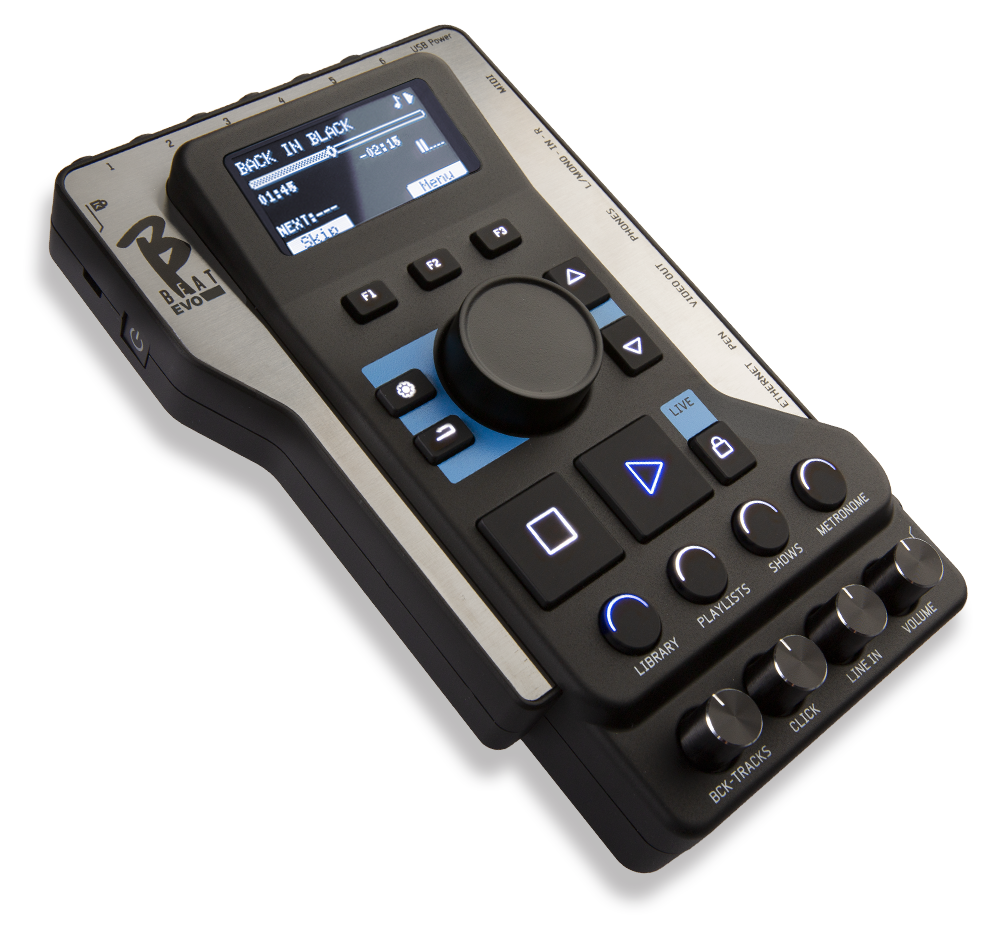

THROUGH B.BEAT
DOWNLOAD VERSION 6.0 of BBeatManager from these links.
If your B.Beat updated to version 6.0, update it to use Lakyx.
BBeatManager 6.0 for Mac (Requires macOS 13 “Ventura” or later)
1. Automatic Check for a New Release
Connect your B.Beat X to the network via Ethernet cable or WiFi, in the same way you connect to your computer to transfer backing tracks. If your PC is connected to the internet, the system checks if B.Beat X is updated to the latest release.
If it is not, the software will prompt you via a pop-up to update the system. The B.Beat X update procedure is automatic.
It is recommended that you keep the versions of B.Beat B.Beat in sync:
N.B. Make sure you don't have any other files called "bbeatXSysSw.upd" in your pc's Download folder.
To update the B.Beat using a USB flash drive, you must connect to the B.Beat remotely via the Prompter app or B.Beat , version 4.0 or later. You can connect via Ethernet cable or Wi-Fi, using the same method you use to transfer files.
1. Check the Software Version on B.Beat X
To check the currently installed version number on the device, simply press the Options button on the App screen and select INFO.
2. Download the software, version 6.0
– The updated firmware version for B.Beat X is available for download as a .upd file from this link.
– Once the UPD file is downloaded, copy it to a USB flash drive.
– Remove the USB flash drive from your PC.
3. Update the software on B.Beat X
– Turn on B.Beat X and wait for the LED to turn solid red.
– Connect with the Prompter App in remote control mode (the LED on B.Beat X will turn green).
– Insert the USB flash drive into the B.Beat X USB port and wait for the update to be recognized. The message “Update found” will appear on the App's virtual controller display. Press the virtual F3 button.
– The system will analyze the file, and after approximately 15 seconds, it will ask for confirmation to perform the update. Verify that the version is as stated above and press the virtual F3 button again to confirm your choice. Otherwise, cancel to stop the update.
– The update procedure will continue automatically, and B.Beat X will restart on its own at the end. After the restart, remove the USB flash drive.
– Added support for the LAKYX system for managing lights via DMX.
– Minor bugs fixed
Last updated on February 16, 2026
B.BEAT VERSION 5.0.6
BBEATMANAGER 5.0.4 FOR MAC
BBEATMANAGER 5.0.4 FOR WINDOWS
– Added compatibility with MBC foot controller
– Option to install the B-Loop plug-in (see)
– Improved text editor functionality
– Added Fast Mode for the pedal: disables multi-function features (long press) for improved responsiveness
– Removal of known Wi-Fi networks has been implemented
– Minor issues resolved
– Added support to GO.8 Synch signal generation.
– Added the ability to manually set the output video resolution in the B.Beat settings.
– Fixed an issue with background image management in SHOWS when switching between two slots.
– Fixed some issues with PDF display in the score manager.
– Fixed an issue with loading images and videos with E.Beat.
– Fixed minor bugs.
Updated Date 03 Oct 2024
B.BEAT VERSION 4.6
BBEATMANAGER 4.6 FOR MAC
BBEATMANAGER 4.6 FOR WINDOWS
- Folder management: it is possible to group some files within a folder, so that you do not have a long list in the case of many files. The files are then located in the main "Home" level (in previous releases) or grouped within a folder. In the BBeat Manager, folders are highlighted on the left bar. Existing files can be moved to folders by selecting them from HOME and clicking on the "folders" icon on the bar.
On BBeat, folders are highlighted with the folder icon: pressing ENTER displays the files in the folder, pressing ESC takes you back. Folder playback is not allowed
- Ability to temporally shift a block of text in the text editor. By selecting the affected lines, it is possible to apply these lines or the small changes with (+) and (-) or simultaneously write the time on the input box or set color and alignment
- Ability to send PLAY and STOP from a MIDI-connected keyboard. There is a new option in MIDI INPUT SETUP for configuring commands. Connect the keyboard via MIDI to BBeat's USB port using a standard MIDI-USB converter if the keyboard is not USB. Since each keyboard sends its own mapped commands such as PLAY and STOP, BBeat "learns" what the MIDI commands are for PLAY and STOP (in the options, MIDI input setup). It is a kind of advanced "pedal" that includes PLAY and STOP.
- It is possible to mute a group, and it remains memorized even at the next power-up.
- The LINE IN input of the X can also be used with only one cable (MONO), and the signal is put in the center in stereo in the headphones. It must be configured in the Options (MONO LINE IN)
- Reduces or clears of impromptu audio noise. If the project has videos and if the project generates audio noise, it is best to reload these I video files.
- Fixes impromptu problems that caused crashes.
- Adjust the size of some characters in the playlist to accommodate longer writings (in the remote control view)
– Fixed an issue that prevented the B.Beat from being configured as a spare for the B.Beat.
Release Date May 29, 2024
B.BEAT VERSION 4.5.1
BBEATMANAGER 4.5.1 FOR MAC
BBEATMANAGER 4.5.1 FOR WINDOWS
Legal and operational headquarters:
Via Luciona, 1872/B
San Giovanni in Marignano (RN) 47842
Switchboard hours:
Monday through Friday 9:30 a.m. to 1 p.m.
and 2 p.m. to 5:30 p.m.
Technical support hours:
Monday through Friday 10 a.m. to 1 p.m.